How To Clean My PetSafe® FreshFeed Refrigerated Pet Feeder
Important Information
Dishwasher Safe - Top Rack:
- Stainless steel food tray inserts
Hand Wash Only:
- Interior plastic food tray
- Fur filters
Damp Cloth Only - Do not submerge in water or place in the dishwasher:
- Main body of the feeder
- Feeder lid
Each time you refill the feeder, clean the unit.
Clean the Feeder
Open the PetSafe® Pet Companion app and select the feeder.
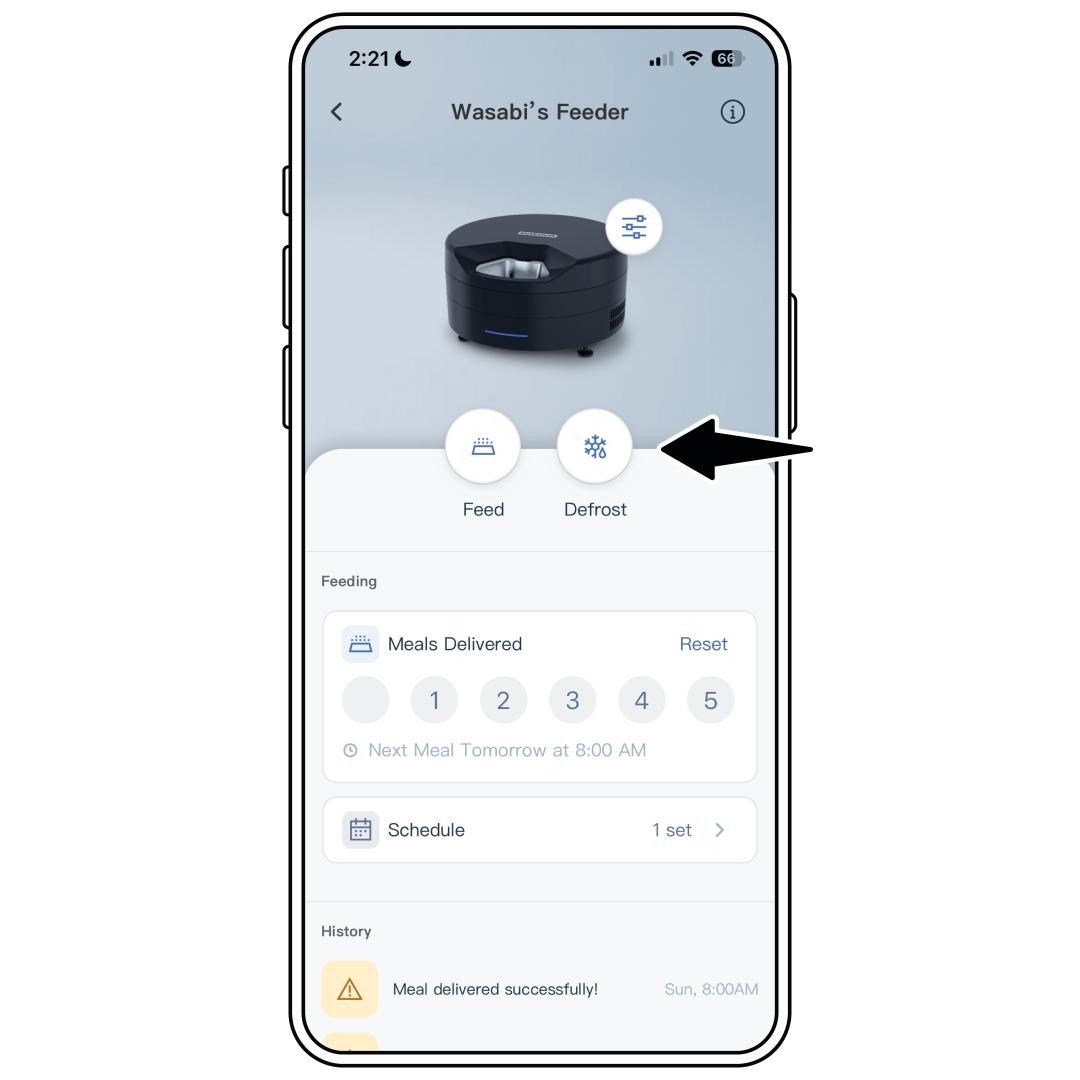
Tap Defrost on the home screen and confirm by pressing Start. This pauses the cooling for 10 minutes to allow for easier cleaning of the cooling plate.
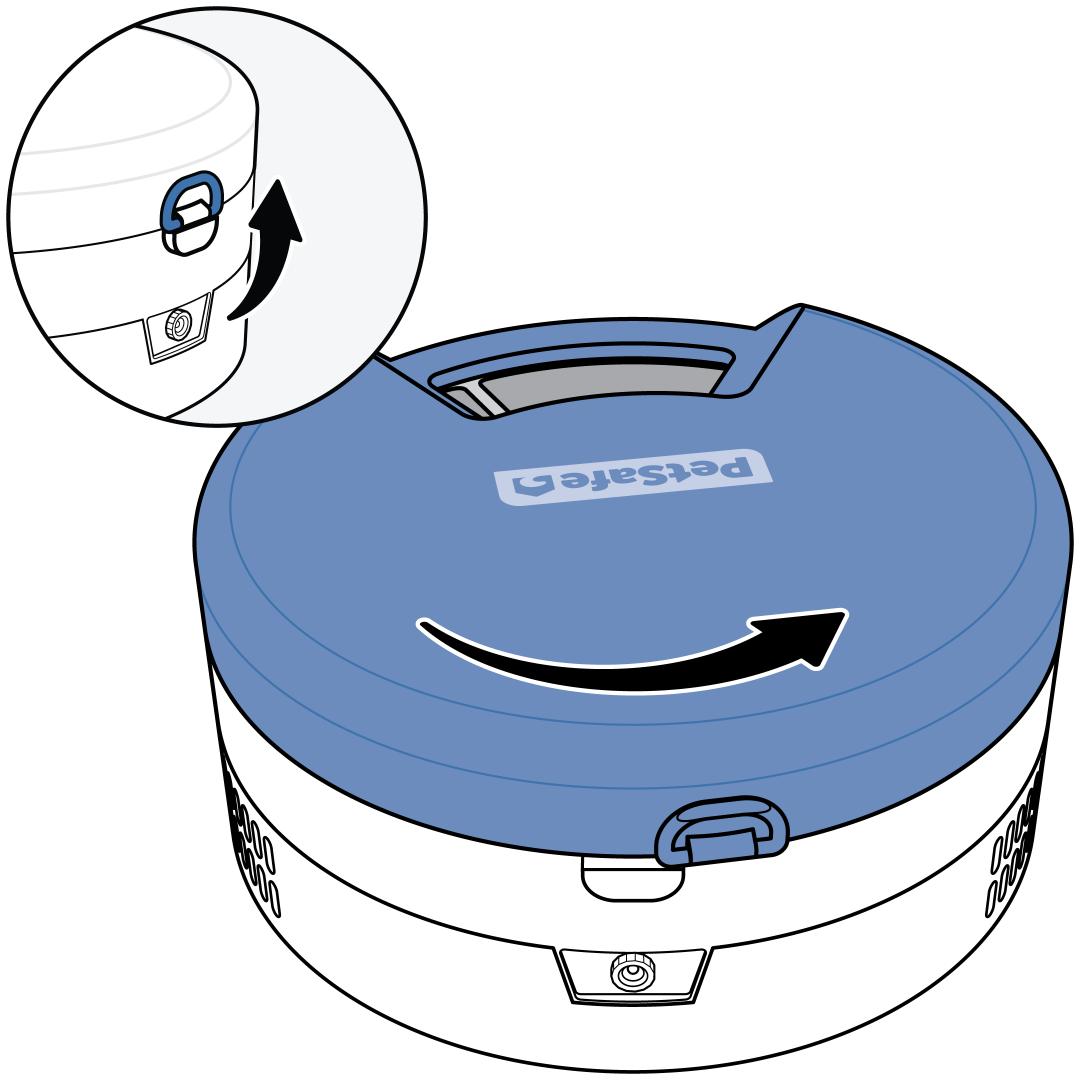
Remove the feeder lid. Lift the latch on the back of the feeder then rotate the lid counterclockwise and lift it off.
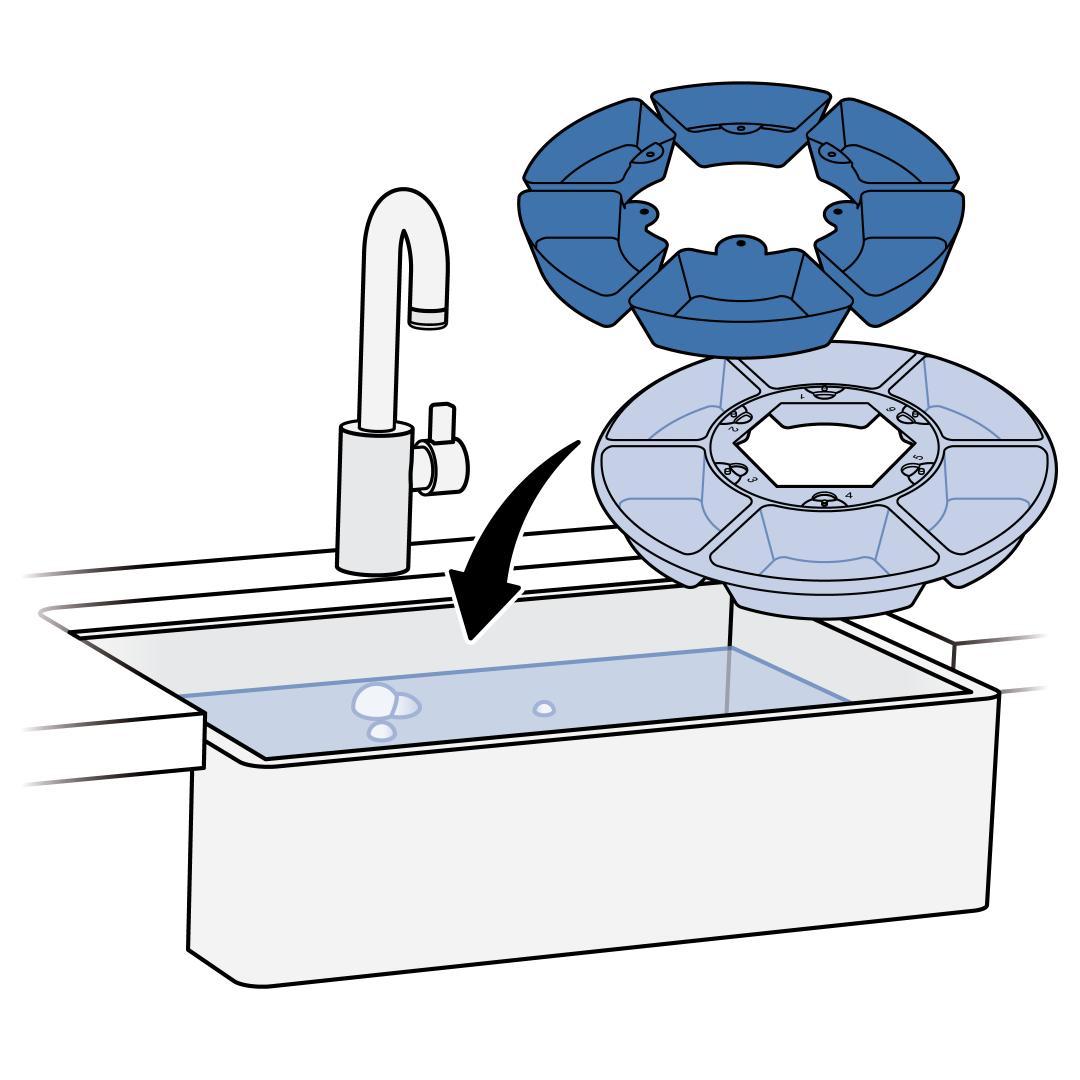
Remove the food tray and stainless steel inserts (if in use) and wash them. The food tray is not dishwasher safe; hand-wash only.
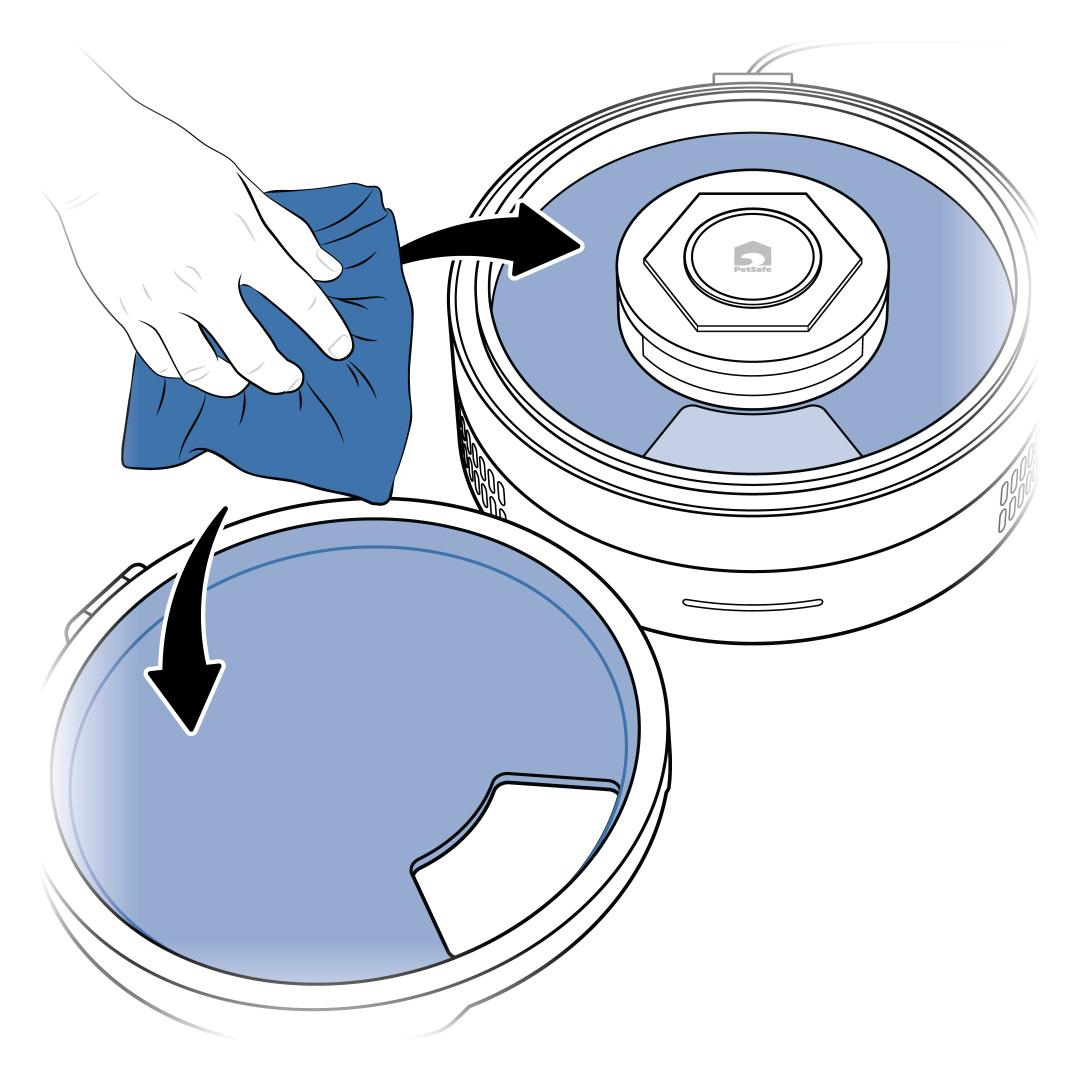
Wipe the feeder lid and base with a non-abrasive, damp cloth. Do not submerge in water or use harsh chemicals.
Make sure to wipe away any condensation or ice that may have built up on the cooling plate.
Clean the Filters
Important: Dirty fur filters can negatively affect temperature control and shorten the lifespan of the feeder. Clean these filters at least once a month.
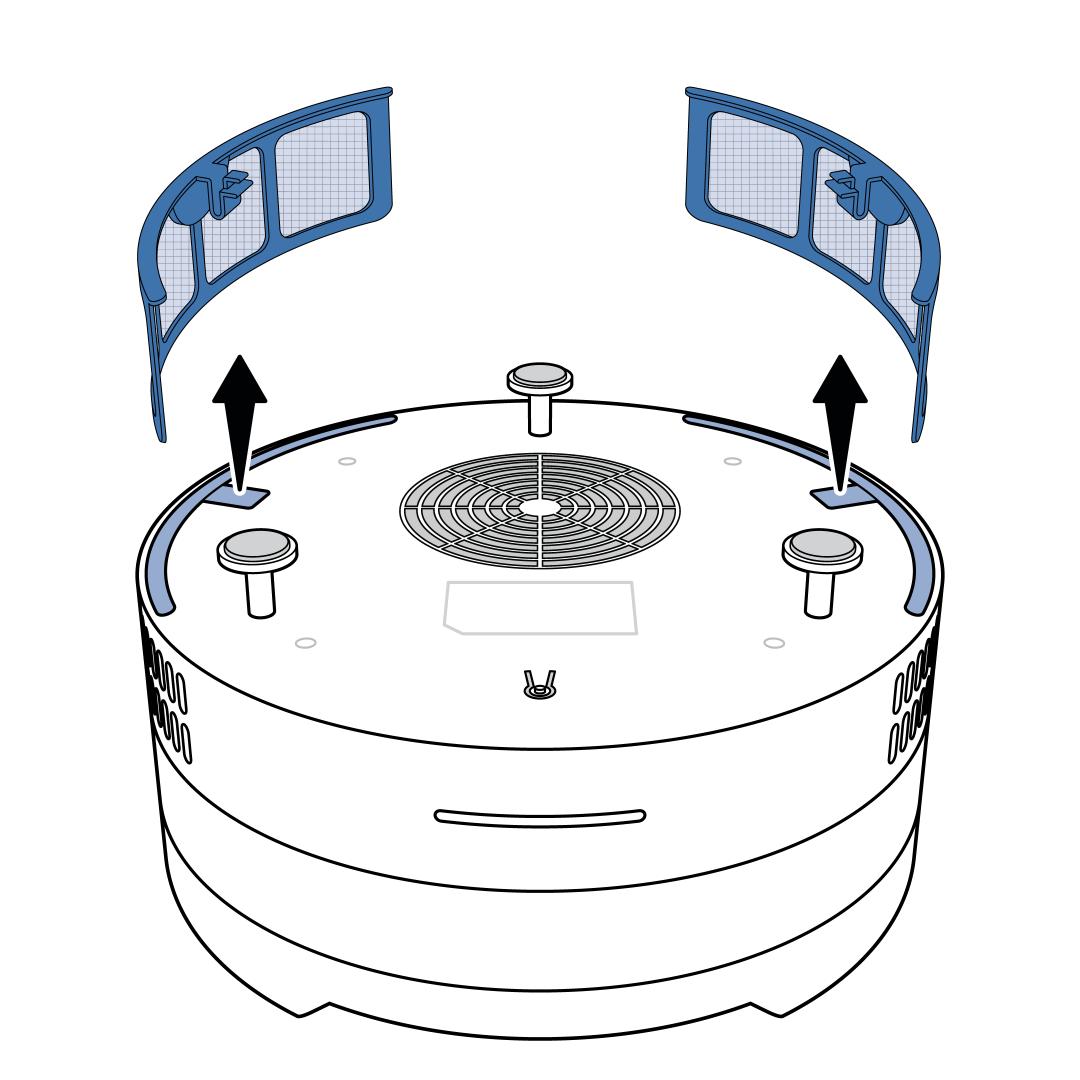
Flip the feeder base over to remove the two fur filters. Pull the tab toward the filter to unlock it and lift the filter from the slot.
Vacuum and/or hand-wash the filters to clean them.
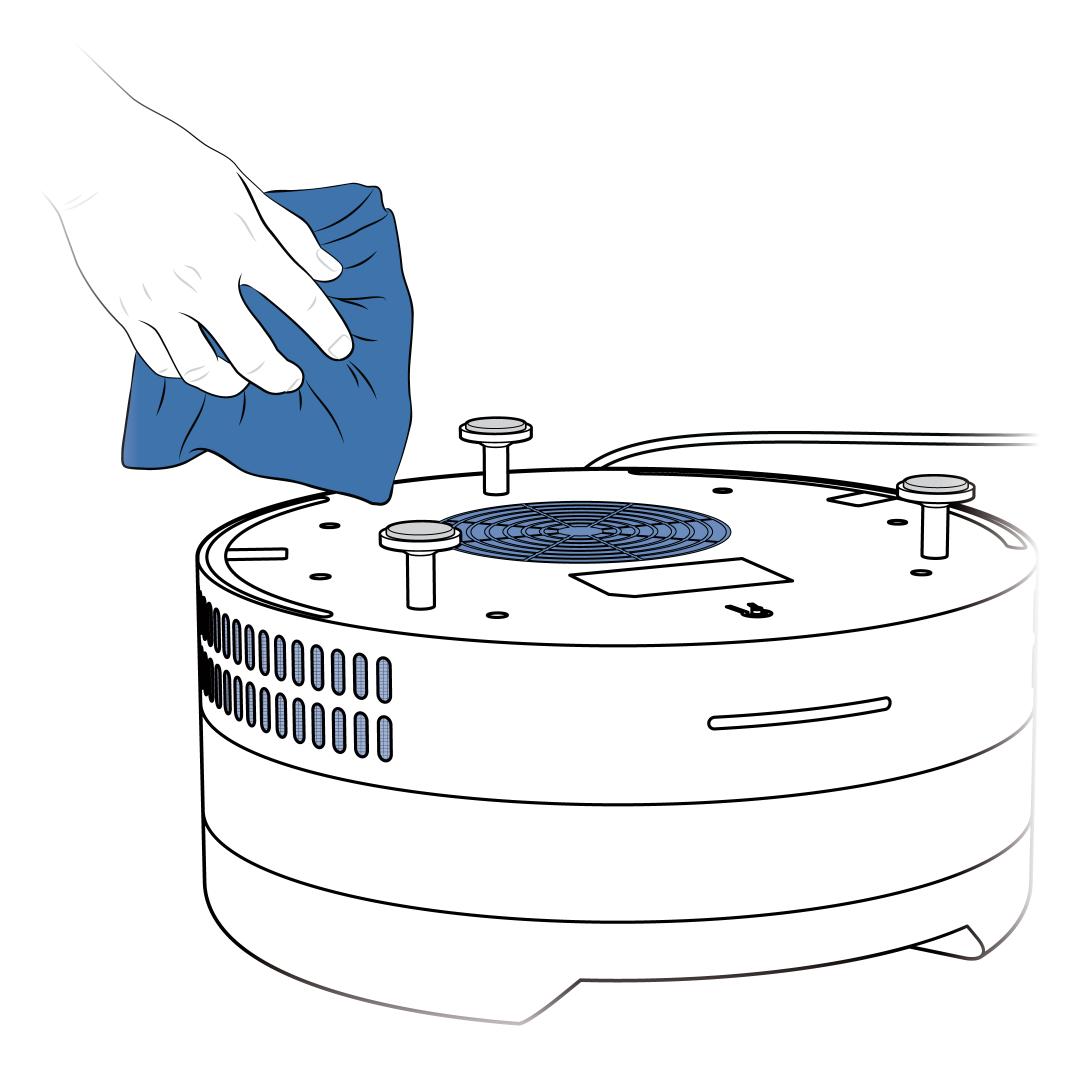
Vacuum and/or wipe the air intake grates on the base in front of the filters and on the bottom over the fan.
Reinsert the cleaned fur filters into the feeder base, ensuring they click into place. Make sure they are completely dry first if you washed them.
Reassemble the Feeder
Dry the food tray and stainless steel inserts (if using) and then replace them in the feeder.
Add food to the tray.
- Each meal compartment can hold up to 3/4 cup (about 5.5 fluid ounces) of food.
- Food can be placed into the stainless steel inserts or directly into the food tray compartment.
- The meal in the first compartment will be available to your pet immediately.
- The tray rotates clockwise and subsequent meals will be available based on the feeding schedule you set up in the app.
- Add food to as many compartments as needed.
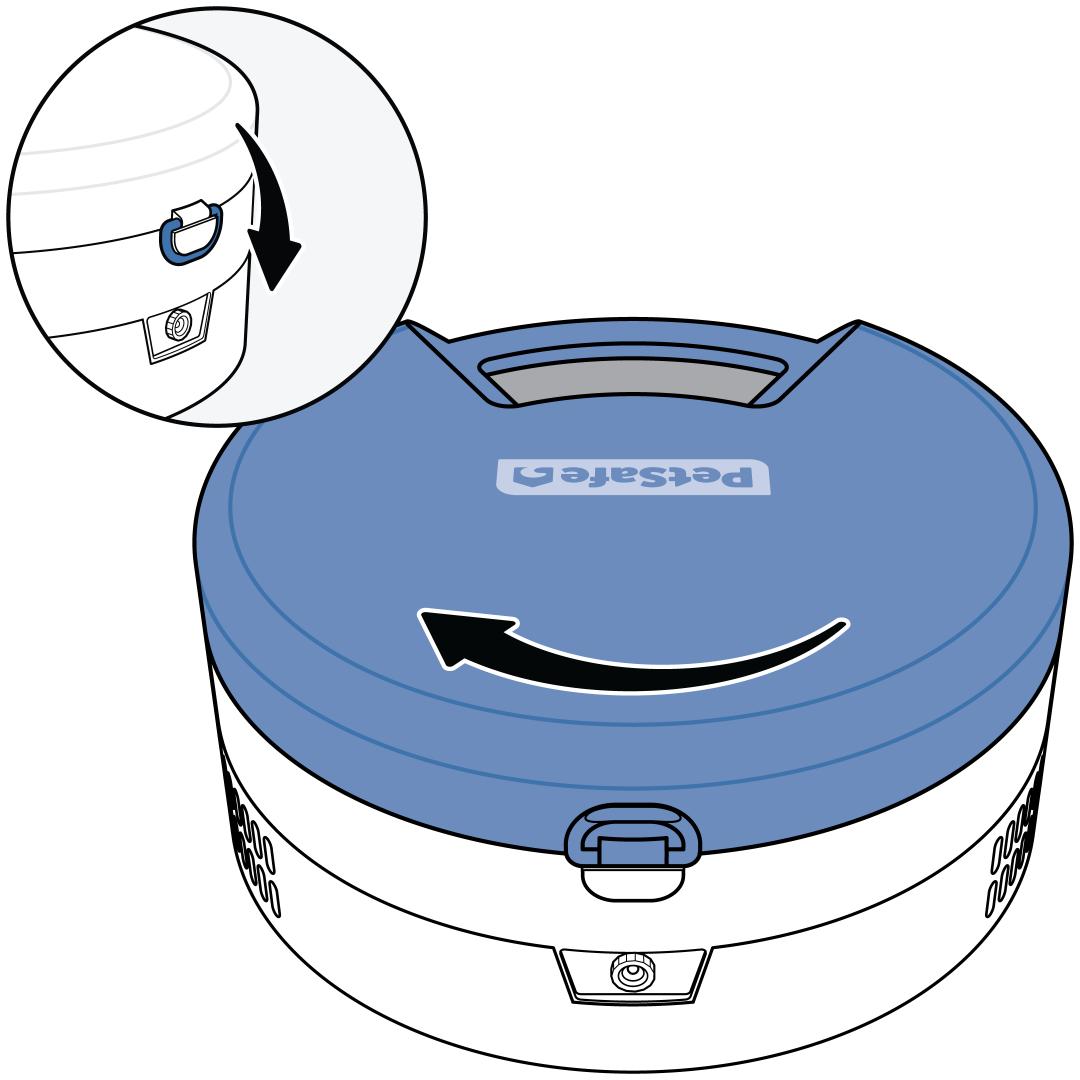
Replace the lid, rotating it clockwise, then close the latch.
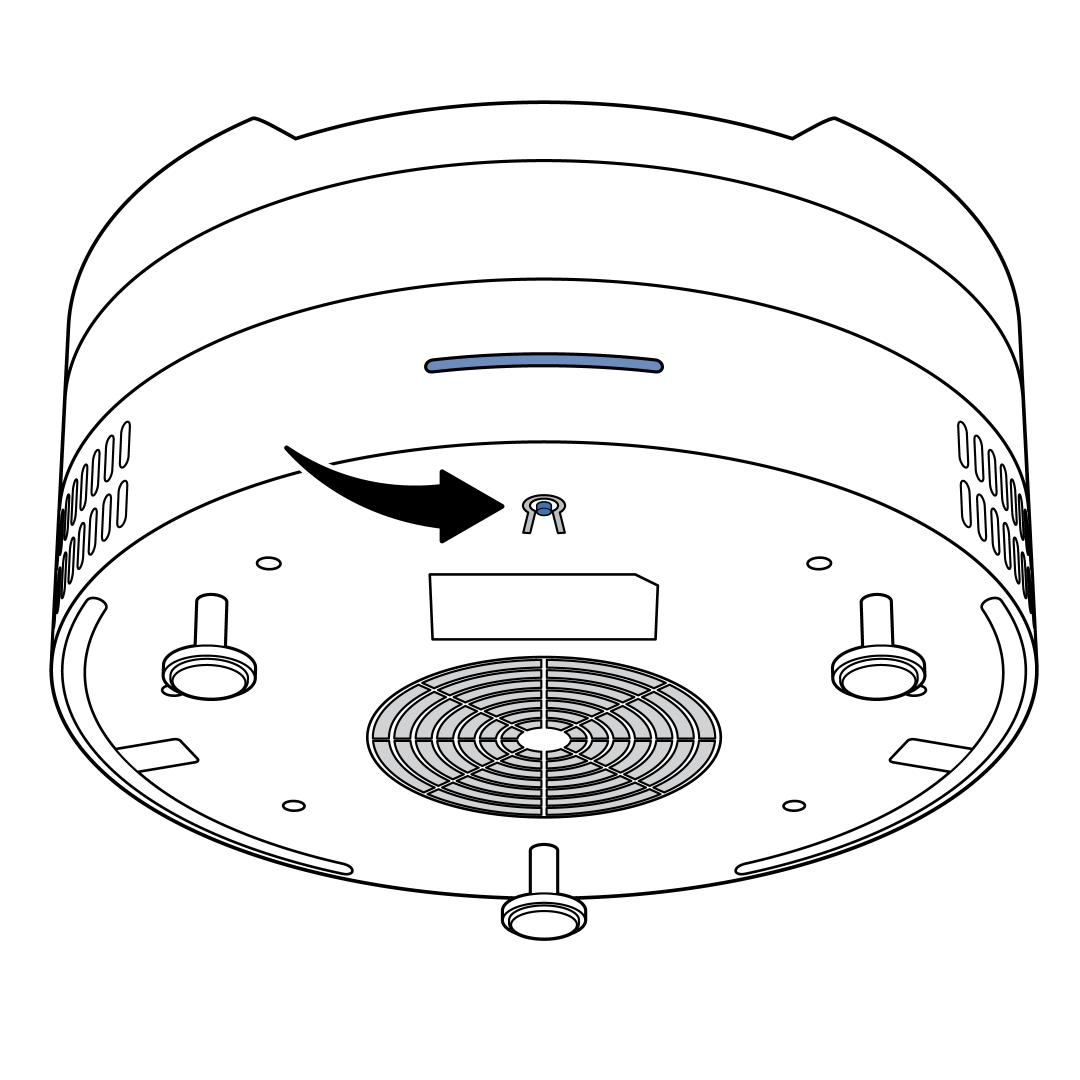
Reset the meal counter if you have the Stop After Full Rotationfeature engaged. Either press and release the reset button under the front edge of the feeder base, or tap Reset on the home screen of the app.
For more information on this feature, visit How To Change the Settings on My PetSafe® FreshFeed Refrigerated Pet Feeder.