How to Program Your Six Meal Feeder
Follow the steps below to set the clock and schedule meals times.
Set the Time
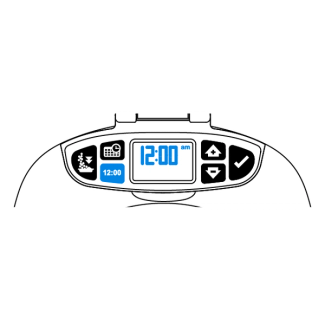
Press the clock button. The screen will flash 12:00 AM.
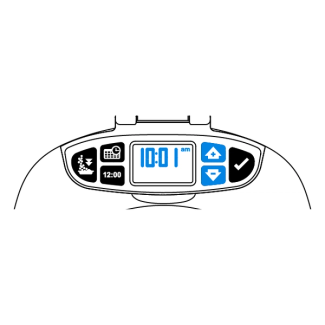
Use the up and down button to select the current time.
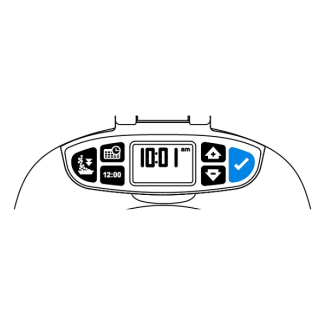
Use the enter button to confirm the time selection.
Schedule Meals
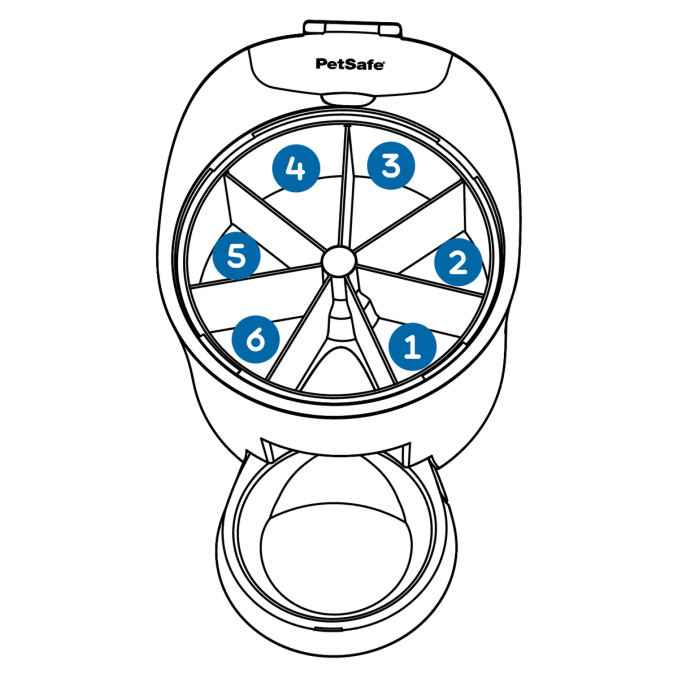
The feeder will dispense the food to the right of the opening first. The programmed meal schedule will repeat daily.
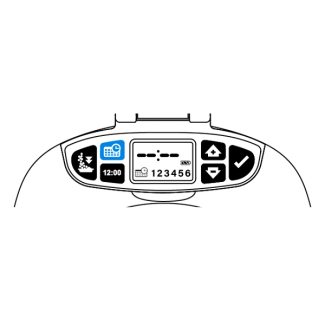
Press the meal schedule button for 2 seconds. Along the bottom of the screen the schedule icon and the six meals will be displayed. The time display will also be flashing.
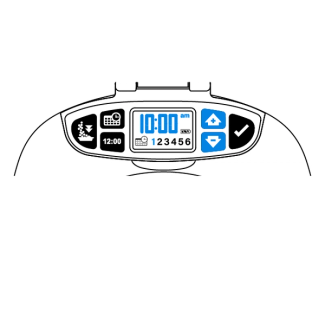
Meal 1 will be flashing. Use the top and bottom buttons to select the desired meal time.
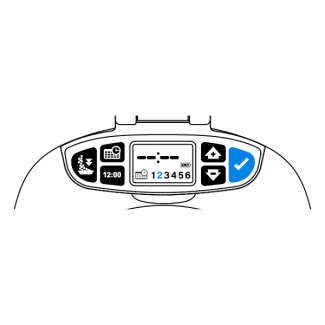
Use the enter button to confirm the meal time and move to meal 2.
Repeat steps 3 and 4 until all desired meals are scheduled.
Note: The scheduled meals will repeat each day.
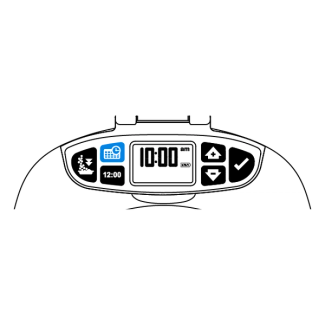
Once desired meal times are scheduled, press the meal schedule button to exit programming.
Remove Scheduled Meals
Press the meal schedule button for 2 seconds. Along the bottom of the screen the schedule icon and the six meals will be displayed. The time display will also be flashing
Use the enter button to select the meal to be removed.
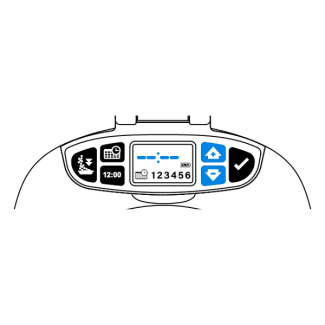
Use the up and down button to clear time display.
Once desired meal times are removed, press the meal schedule button to exit programming.
Suspend Schedule Meals
Suspending meals will stop the feeder from dispensing meals at the scheduled times.
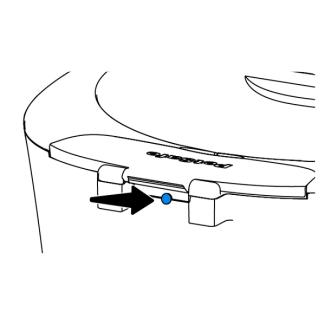
Press the sleep button on the back of the feeder to suspend the programmed feedings. Press again to resume scheduled meals.
Contact Customer Care
If you need further assistance, please contact our customer care team.